AI Video Analytics Without Cloud: What Edge Intelligence Means for Warehouses and 3PLs
How on-site AI video analytics turns warehouse camera feeds into real-time events without sending footage to the cloud, and what to measure before you buy.
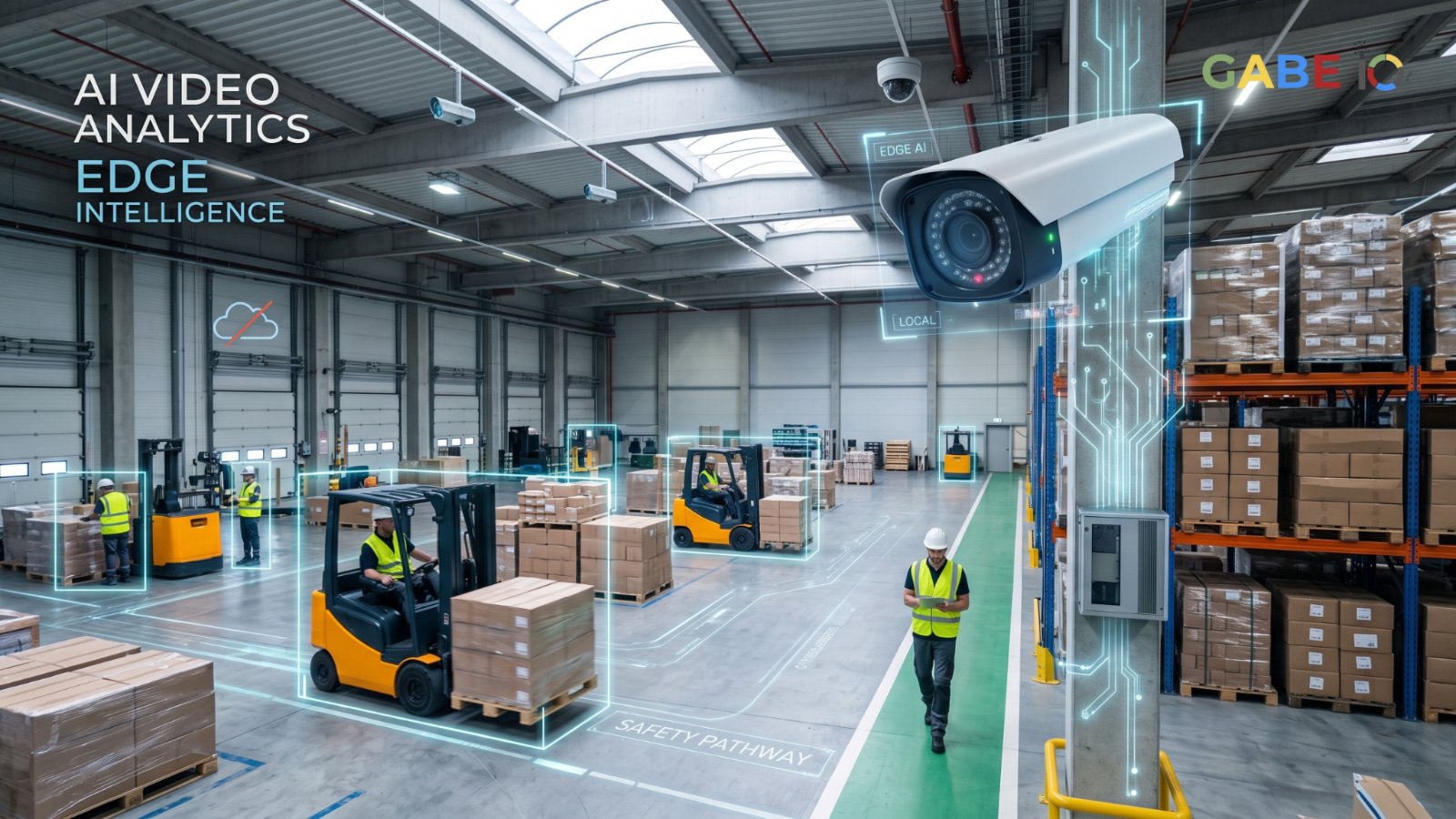
AI video analytics without cloud means analyzing camera feeds on hardware inside your facility, so a system can turn raw footage into structured events, such as a forklift entering a pedestrian lane or a blocked fire exit, without sending every frame to a remote data center.
A typical warehouse or third-party logistics (3PL) site has dozens of cameras, and almost none of the footage is ever watched. A shift lead cannot monitor forty feeds at once. The useful question is not whether a site has cameras, but whether a system can identify what happened soon enough to act on it while keeping video processing close to where the footage is generated.
Why Warehouse Camera Footage Goes Unused
Three things break down as camera counts grow.
1. Human review does not scale
Incidents such as a pallet jack entering a pedestrian lane or a blocked fire exit are rare, so people stop watching the feeds. The footage is recorded but only consulted after something goes wrong.
2. Cloud video analytics is expensive and slow
Every stream consumes uplink bandwidth. Round trips add latency, which matters when the goal is to intervene while the situation is still happening. Sending facility footage off-site also raises questions about customer contracts and privacy that many operators would rather avoid.
3. Motion alerts are too noisy
Motion detection fires on shadows, weather through a dock door, and people walking past. Operators learn to ignore alerts, which defeats the purpose.
What Is Edge AI Video Analytics?
Edge AI means the computing happens on-site, close to the cameras. In an on-premises AI system, video can be decoded, analyzed, and reduced to events inside the building. What leaves the site is a stream of structured event records and, where needed, short clips. In many deployments, the raw video never leaves the facility at all.
How AI Video Analytics Without Cloud Works: Three Stages
Running AI on edge hardware works best as a pipeline in which each stage passes on only a fraction of what it receives.
- Continuous detection runs on every stream. It identifies people, vehicles, forklifts, pallets, and defined zones. Each frame is cheap to process at this stage.
- Tracking and rules turn detections into candidate events. Examples include a person in a restricted aisle for more than ten seconds, or a forklift near a pedestrian zone. Most candidates are resolved here and never go further.
- A vision-language model (VLM) reviews only the flagged moments. It returns a short structured description of what it saw, and the clip stays in local storage.
Why AI Agents Should Read Events, Not Video
The agent reads the events, not the video. Each event record carries:
- A timestamp
- The camera zone
- The event type
- The detection confidence
- A short VLM summary
- A reference to the local clip
An agent reading records like this is fast, inexpensive to run, and easy to audit. An agent asked to watch raw video would be none of those things.
This approach combines local AI inference with event-based processing. Rather than sending every frame to the cloud for analysis, the system processes video on-site and passes structured information to downstream agents and operational tools.
How the Edge Video Intelligence Architecture Works
Cameras capture IP video streams, which are processed by an edge system on-site. The system detects objects, tracks movement, applies zone rules, and sends selected moments to a vision-language model for review. Structured event records can then be passed to an agent, safety dashboard, or warehouse management system (WMS), while raw footage remains in local storage.
- Input: IP camera streams from across the facility.
- On-site processing: Video decoding, continuous detection, tracking, and zone rules.
- Selective review: A vision-language model reviews flagged moments only.
- Local storage: Raw video and relevant clips remain on-site.
- Event output: Structured event records and summaries are passed to an agent or operations tools.
- Operational action: Events can inform a WMS, safety dashboard, or shift-lead alert.
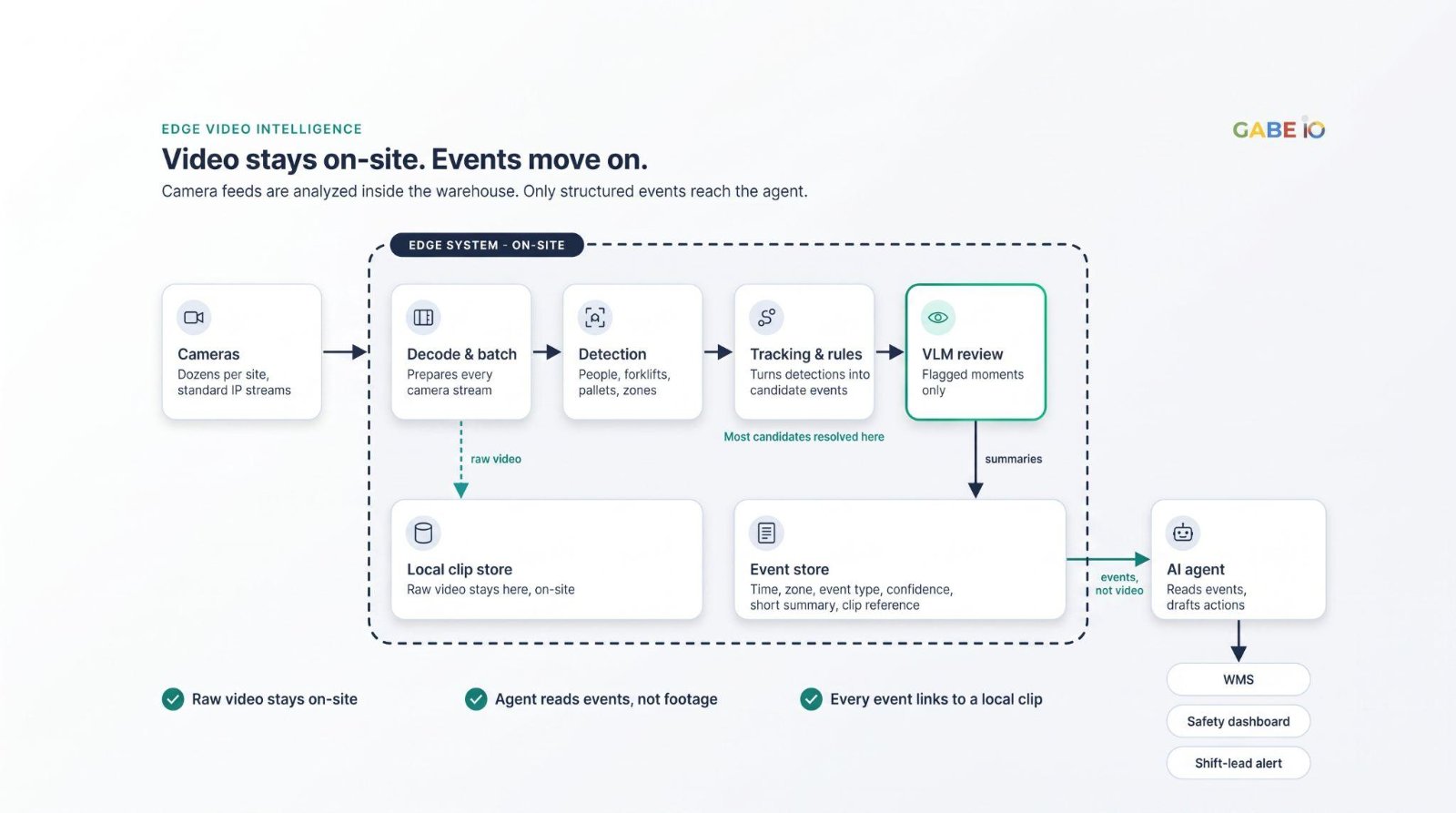
Raw video stays in local storage. Only event records leave the edge system.
Warehouse Use Cases for AI Video Analytics
Typical events an edge video system can be configured to detect in a warehouse or 3PL site:
- Forklift and pedestrian proximity: a forklift or pallet jack entering a pedestrian lane or coming too close to a person.
- Restricted-area access: a person in a restricted aisle or zone for longer than a set time.
- Blocked exits and aisles: pallets or equipment left in fire exits or emergency routes.
- Dock activity: a dock door left open, or a trailer bay idle longer than expected.
- Staging-area congestion: pallets building up in a staging zone beyond a set threshold.
Event types and thresholds are set per site, based on the layout and the risks that matter most there.
Case Study: From 15 to 70 Camera Streams on One Edge System
A logistics operator runs dozens of cameras per site and needs events in real time, processed at the edge, without sending video to the cloud. Gabe IO built a video pipeline on NVIDIA Jetson Thor. Detection runs continuously across all streams, and a vision-language model reviews only the moments that matter. The team tuned batching and locked clock speeds to keep throughput stable under load.
In our testing, one edge system went from about 15 to 70 concurrent camera streams, with no paused streams at 70 and roughly a quarter fewer vision-language review calls.
Those are internal test results, not a production deployment, and they should be read with that in mind. Throughput depends on camera resolution, frame rate, and the number of events each site generates, so your own footage is the only reliable benchmark.
What to Measure Before You Buy AI Video Analytics Software: 7 Metrics
When evaluating AI video analytics software or an edge AI system, vendors will quote peak numbers. Ask for these seven measurements, taken on your own footage.
1. Sustained streams at target latency
Define the number as streams sustained over a full shift at the latency you need, not the peak a demo can reach.
2. Paused or dropped streams under load
A system that claims 70 streams but pauses some of them under load is not handling 70 streams. Track this figure at peak, not just on average.
3. VLM review rate
Measure review calls per stream per hour and the share of candidate events escalated. Fewer review calls mean lower cost and lower latency per event.
4. Event precision
Measure the share of alerts that a human reviewer confirms, using labeled clips from your site.
5. Event recall
Measure how many real incidents the system catches. Use sampled human review of footage, because alert counts alone cannot show what was missed.
6. Time to event
Measure the interval from a camera frame to a structured event reaching the agent or dashboard.
7. Stability
Track uptime across at least thirty days, thermal behavior during peak shifts, and throughput at the busiest hours.
If a vendor will not run these tests on your footage, treat the vendor’s numbers as marketing.
Is Edge AI Video Analytics Right for Your Warehouse?
Before choosing an edge AI server or an on-premises AI system, consider the number of camera streams, the required response time, the facility’s network capacity, data-handling requirements, and the types of events the system must detect.
A practical evaluation should use representative footage from your own facility. Test sustained throughput, event accuracy, latency, and stability under realistic operating conditions. If your operation includes manufacturing, assess an edge AI server for factory workloads such as AI visual inspection separately, to establish whether the system meets those requirements.
The right configuration depends on the workload. Camera resolution, frame rate, model choice, and event frequency all affect the computing resources required.
Frequently Asked Questions About AI Video Analytics Without Cloud
1. Can AI video analytics work without the cloud?
Yes. With an on-premises AI system, video is decoded, analyzed, and stored on-site. Only structured event records and, where needed, short clips leave the edge system. In many deployments, the raw video never leaves the facility at all.
2. What is an edge AI server?
An edge AI server is computing hardware installed on-site, close to the cameras or machines it serves, that runs AI models locally. For video analytics, it handles decoding, detection, tracking, and model review without sending footage to a remote data center.
3. Do I need new cameras for AI video analytics?
Usually not. Edge video systems are designed to work with standard IP camera streams, so most sites start with the cameras they already have. Resolution, frame rate, and camera placement affect what can be detected reliably, so check them before you start.
4. How many camera streams can one edge system handle?
It depends on camera resolution, frame rate, and how many events each site generates. In our internal testing, one edge system went from about 15 to 70 concurrent camera streams, but your own footage is the only reliable benchmark.
5. How is AI video analytics different from motion detection?
Motion detection fires on any change in the image, including shadows, weather at a dock door, and people walking past, so it produces many false alerts. AI video analytics identifies specific objects such as people, forklifts, and pallets, tracks them against zone rules, and escalates only flagged moments for review, so each alert describes an actual event.
6. Can the same edge AI server handle AI visual inspection in a factory?
The same pattern often applies: cameras on the line, local AI inference on-site, and closer review of flagged parts only. But visual inspection has different requirements for resolution, lighting, and cycle time, so test it separately on your own parts before relying on it.
Ready to See This on Your Camera Layout?
Book a logistics demo with Gabe IO. We will walk through the pipeline using a representative stream set and show how the event records reach your agent and your operations tools.
Gabe IO’s on-premises edge AI system, GabeHERO TX, is built on NVIDIA Jetson Thor platform. For the infrastructure side of running AI on-site, read Can You Run AI Agents Entirely On-Premises? What It Takes.